
宝塔中配置站点
大约 3 分钟部署文档部署准备
部署前提
1:服务端已正常启动运行。
2:域名已解析到部署前端代码的服务器。
在创建站点之前我们需要解析哪些域名和准备工作? 一个域名解决所有问题。
前端使用到的域名,域名必须备案成功。
PC:https://demo.modulithshop.cn
h5:https://demo.modulithshop.cn/h5
admin:https://demo.modulithshop.cn/admin
宝塔创建站点
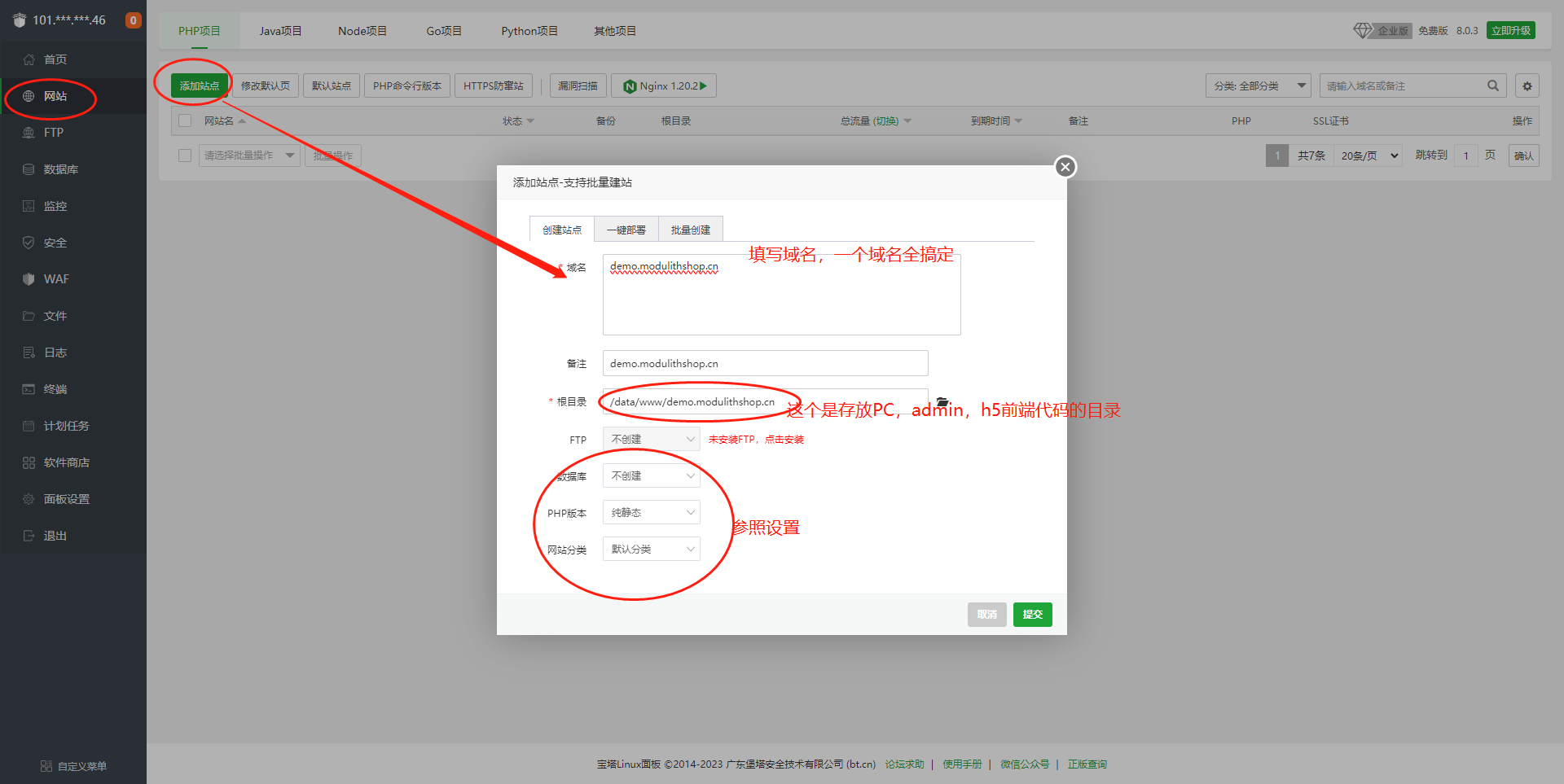
 如上一个域名解析后再去宝塔面板中创建站点,最好本地ping 或者 telnet下确认域名解析已经生效。 接口代理配置:
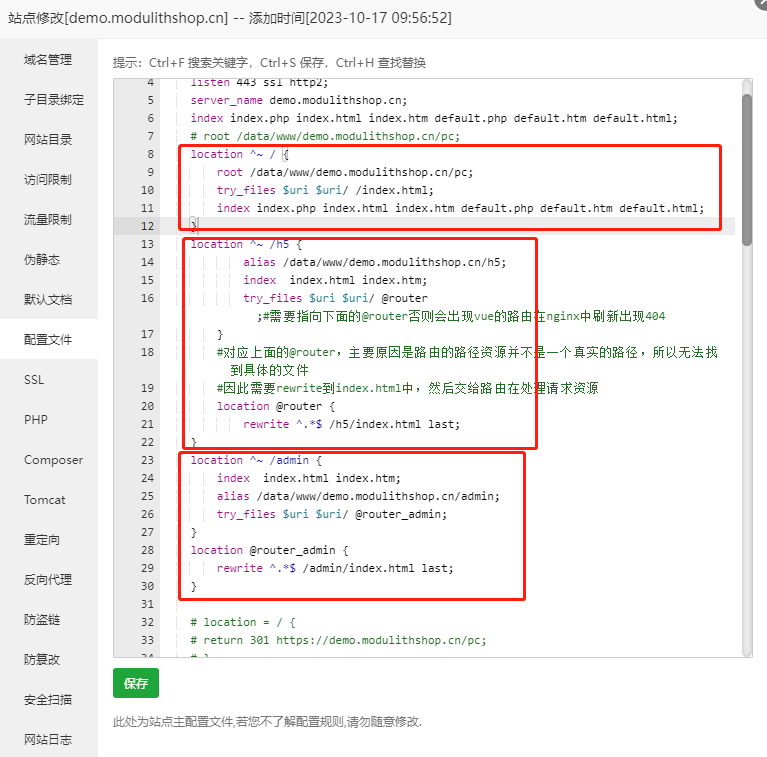
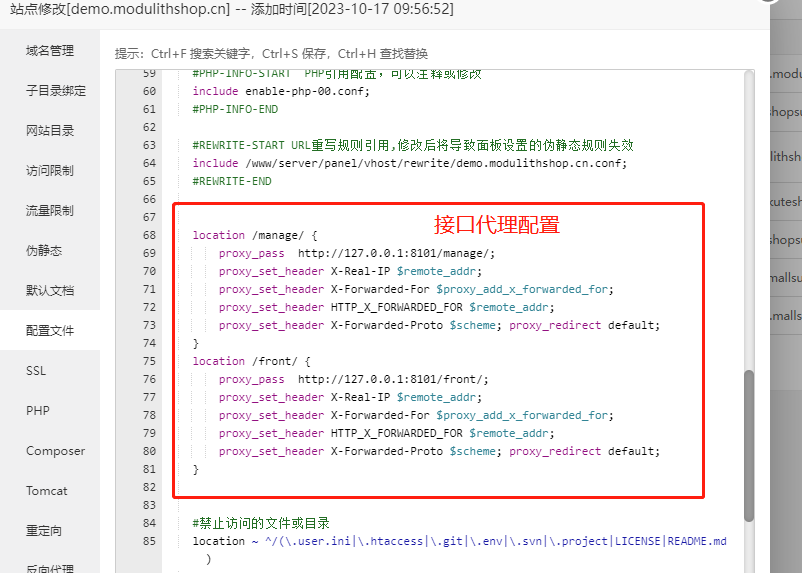
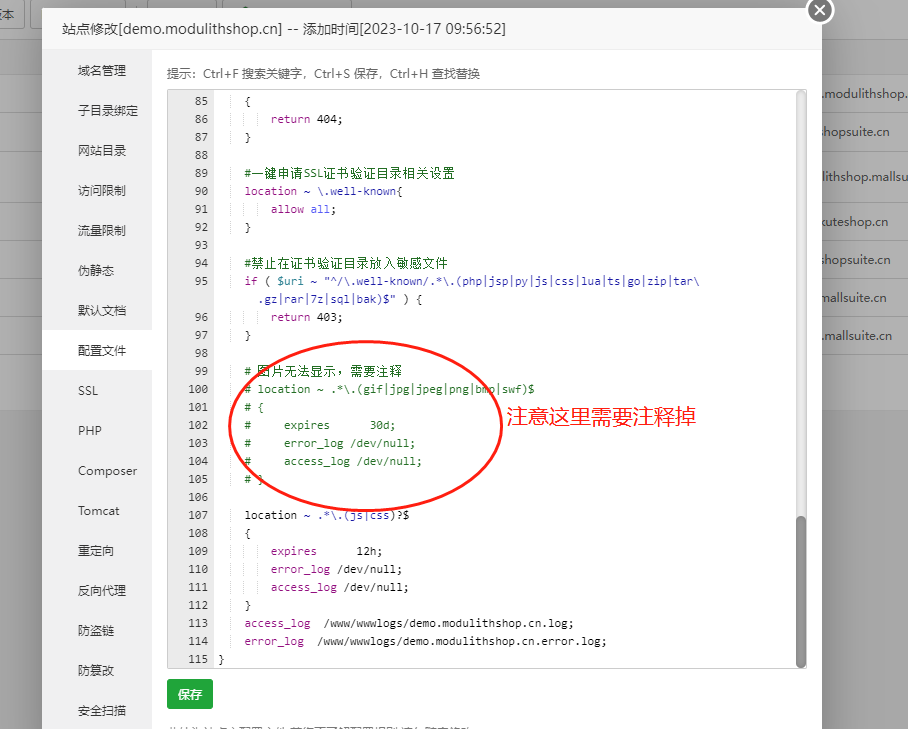
以下配置供参考
server
{
    listen 80;
    listen 443 ssl http2;
    server_name demo.modulithshop.cn;
    index index.php index.html index.htm default.php default.htm default.html;
    # root /data/www/demo.modulithshop.cn/pc;

    # PC站点配置
    location ^~ / {
        root /data/www/demo.modulithshop.cn/pc;
        try_files $uri $uri/ /index.html;
        index index.php index.html index.htm default.php default.htm default.html;
    }


    #h5站点配置
    location ^~ /h5 {
            alias /data/www/demo.modulithshop.cn/h5;
            index  index.html index.htm;
            try_files $uri $uri/ @router;#需要指向下面的@router否则会出现vue的路由在nginx中刷新出现404
        }
        #对应上面的@router,主要原因是路由的路径资源并不是一个真实的路径,所以无法找到具体的文件
        #因此需要rewrite到index.html中,然后交给路由在处理请求资源
        location @router {
            rewrite ^.*$ /h5/index.html last;
    }

    #admin管理后台配置
    location ^~ /admin {
        index  index.html index.htm;
        alias /data/www/demo.modulithshop.cn/admin;
        try_files $uri $uri/ @router_admin;
    }
    location @router_admin {
        rewrite ^.*$ /admin/index.html last;
    }


    #接口代理配置
    location /manage/ {
        proxy_pass  http://127.0.0.1:8101/manage/;
        proxy_set_header X-Real-IP $remote_addr;
        proxy_set_header X-Forwarded-For $proxy_add_x_forwarded_for;
        proxy_set_header HTTP_X_FORWARDED_FOR $remote_addr;
        proxy_set_header X-Forwarded-Proto $scheme; proxy_redirect default;
    }
    # 接口代理配置
    location /front/ {
        proxy_pass  http://127.0.0.1:8101/front/;
        proxy_set_header X-Real-IP $remote_addr;
        proxy_set_header X-Forwarded-For $proxy_add_x_forwarded_for;
        proxy_set_header HTTP_X_FORWARDED_FOR $remote_addr;
        proxy_set_header X-Forwarded-Proto $scheme; proxy_redirect default;
    }
	#图片本地存储上传的静态文件访问路径
	location ^~ /front/sys/upload/images {
		alias  /data/apps/modulithshop/upload/images;
	}
	location ^~ /front/sys/upload/temp {
		alias  /data/apps/modulithshop/upload/temp;
	}
	location ^~ /front/sys/upload/files {
		alias  /data/apps/modulithshop/upload/files;
	}
	location ^~ /front/sys/upload/videos {
		alias  /data/apps/modulithshop/upload/videos;
	}

    #end

}
创建数据库并导入sql
下载sql地址: https://www.shopsuite.cn/uploads/sql/shopsuite-001.sql创建数据库:
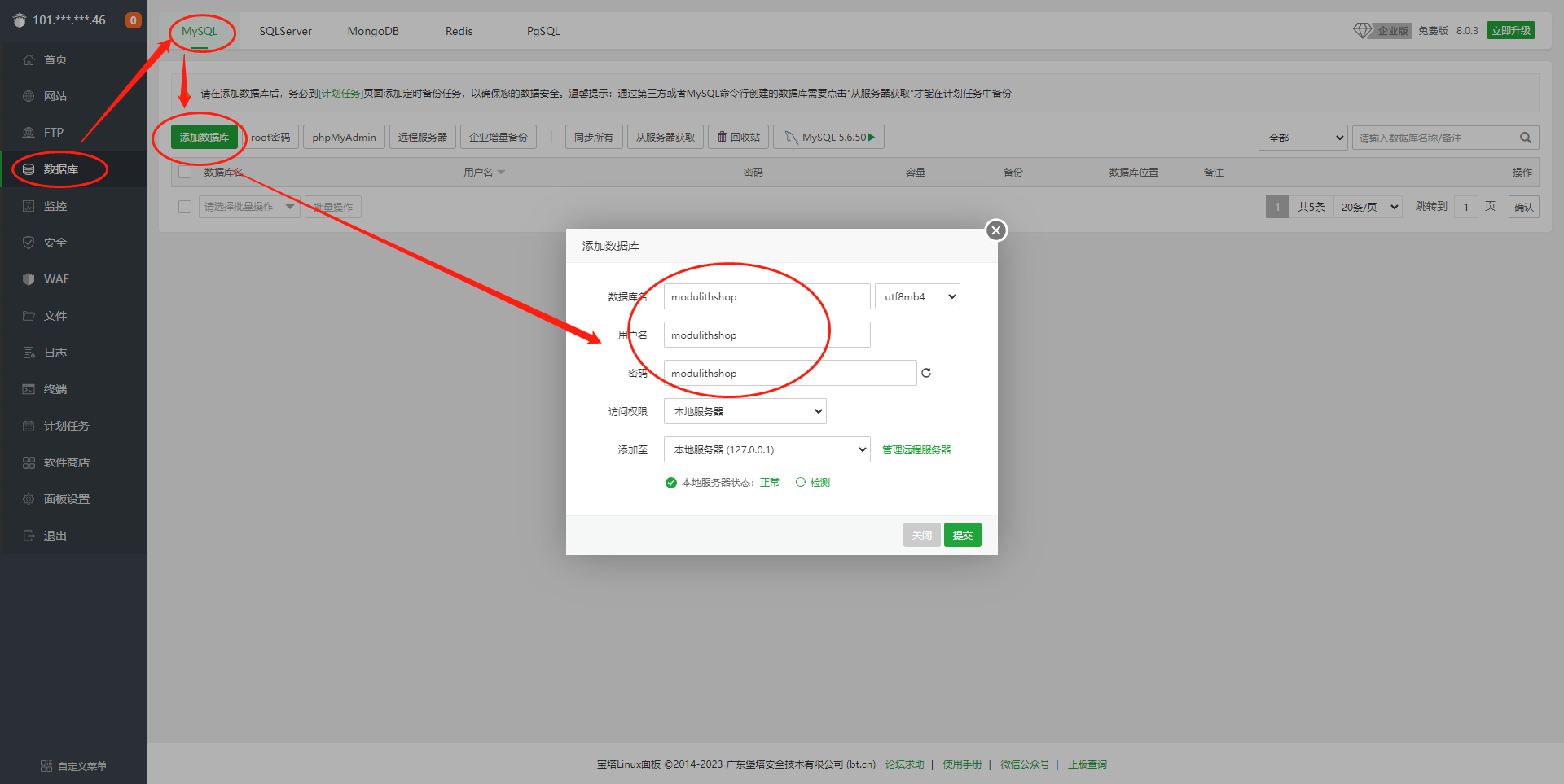
导入SQL:
把下载的SQL文件导入新建的数据库

管理后台的账号密码:
账号:admin 密码:shopsuite.cn